
AI chat interface to your sequencing
Introducing nanalogue-gui
Sequencing data processing application with AI chat features
Transparency 🔍
View system prompt, inspect tools in plain English
Available tools 🧰
Analyze data in plain text and BAM, plot data, …
Customization 🔧
Tune according to LLM’s power and task’s needs
Powerful 💪
Can do simple exploring or complex analyses
Code is optional 👌
You don’t have to read or approve code (unless you want to)
Secure Sandbox behind the scenes 🔒
Code runs locally (Pydantic’s Monty1 & Vercel’s just-bash2)
😊 Peace of mind
AI cannot escape allowed directory, cannot delete/overwrite
Use any LLM
OpenAI, Claude, Gemini or a local LLM
Use Oxford Nanopore’s GPUs
Run local LLM for nanalogue-chat when not sequencing
🔐 Security and Privacy
Use local LLMs (e.g. Qwen), no egress from your premises
💻 Multi-platform and easy to install
macOS, Linux, Windows (with Windows Subsystem for Linux)
📋 Reproducibility
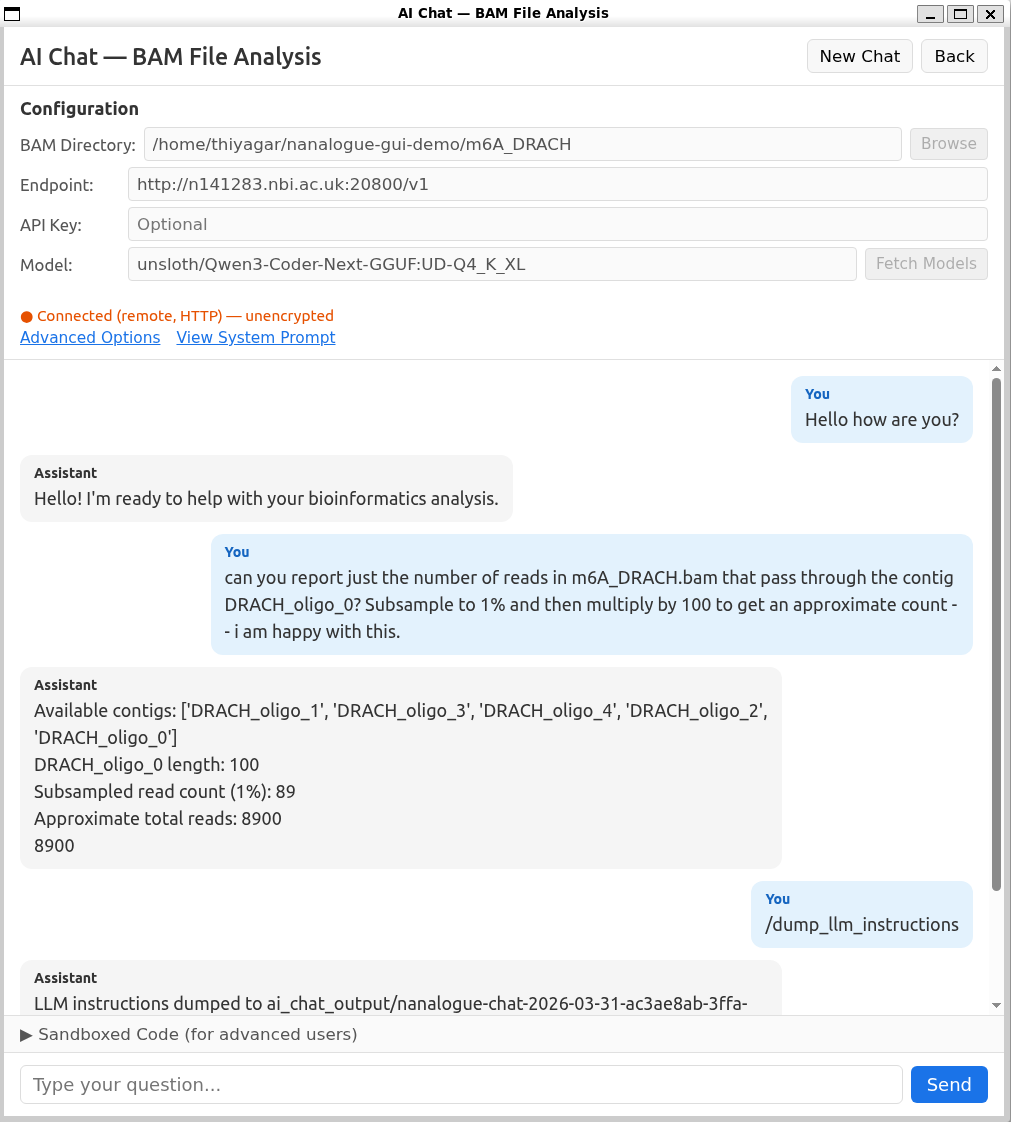
/dump_llm_instructions saves sessions, /exec saved session⬅ Actual local, private chat snapshot
From local LLM on GPU desktop of PromethION P2 solo
Powerful: Plain-English prompt —> published RNA-seq result
Just describe the analysis in plain English. nanalogue-chat can turn that request into a real multi-step workflow: count spanning reads, filter files, compute per-position coverage, and generate a publication-style plot comparable to a scripted notebook analysis.
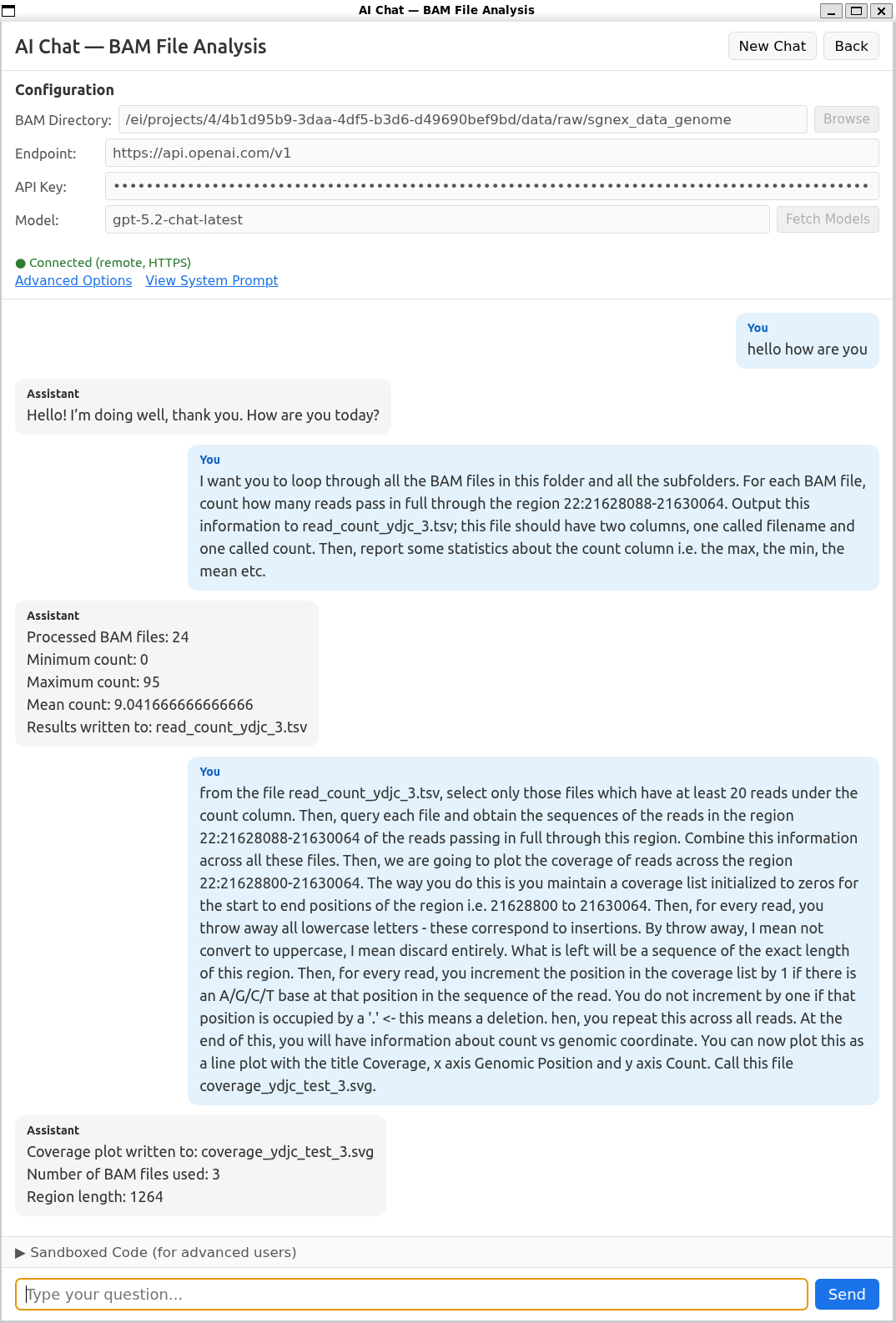
Execution results and comparison of isoform coverage across gene
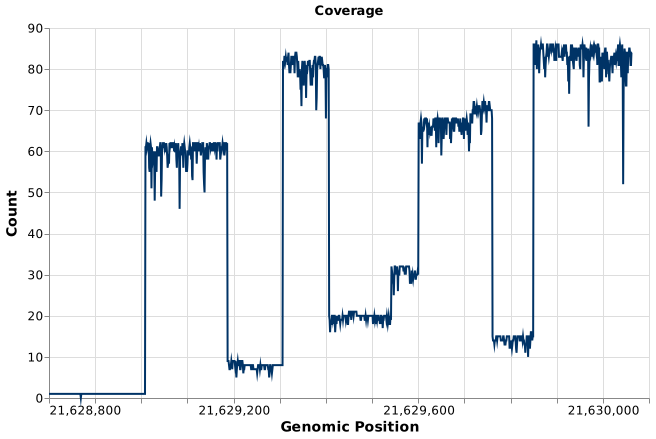
nanalogue-chat output on HCT116 cells
Coverage plot generated directly from the chat workflow.
Coverage plot generated directly from the chat workflow.
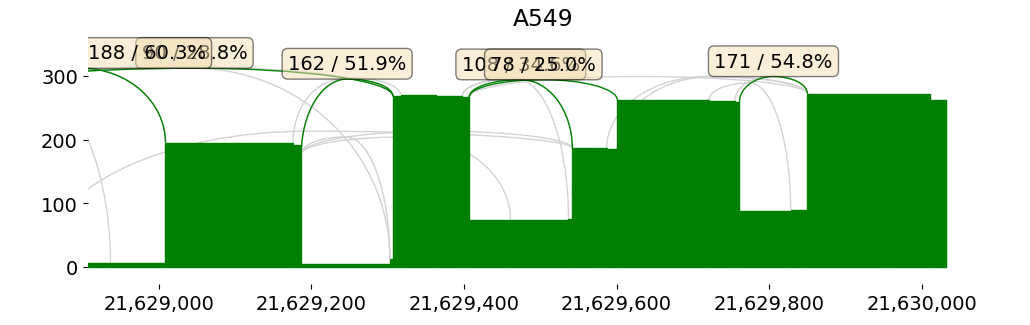
Published notebook workflow on A549 cells
Comparable style of analysis from the SG-NEx IsoTools tutorial.3,4
Comparable style of analysis from the SG-NEx IsoTools tutorial.3,4
Plain-English request enough to drive a real genomics analysis and get a published result.3,4
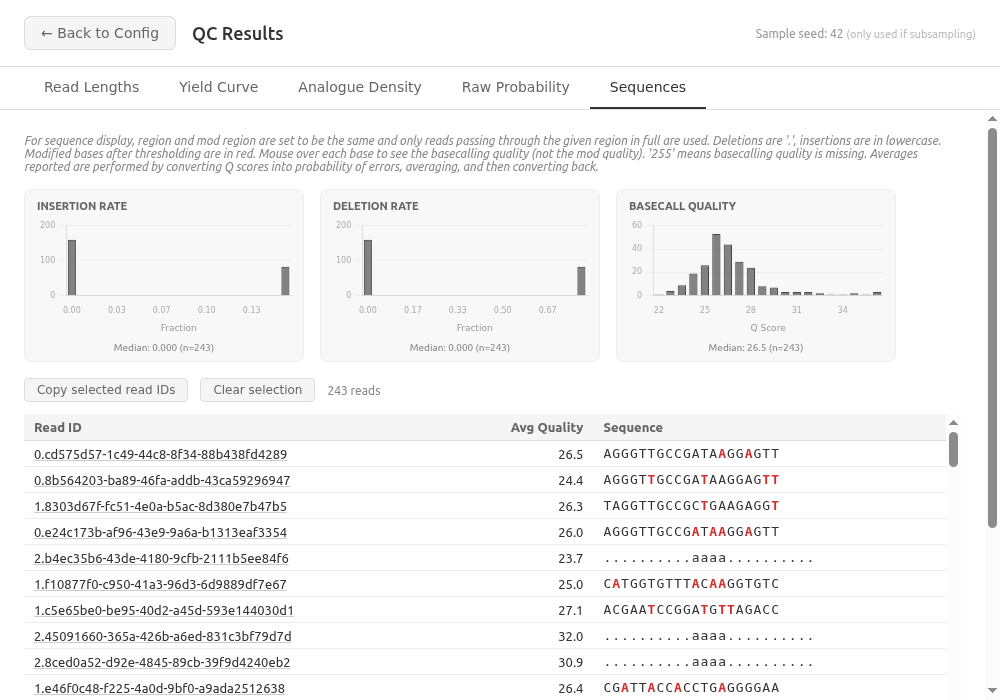
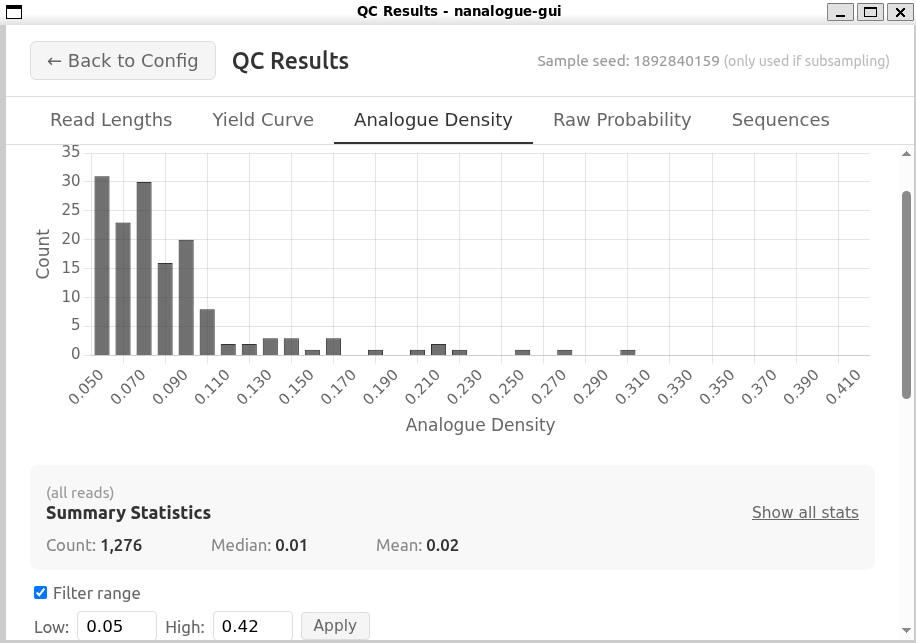
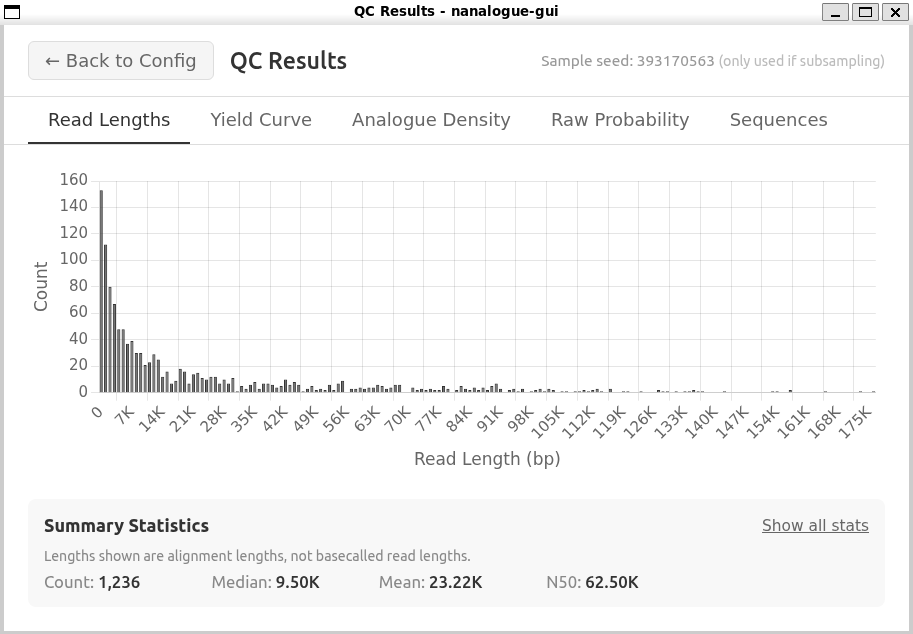
Other creature comforts: QC your data
Check the essentials at a glance: read-length distributions, insertion/deletion sizes, basecalling quality, and single-molecule sequences with their modification patterns.
Find out more (nanalogue.com)
🦀 Rust CLI
⬢ Node.js
🐍 Python
🐳 Docker

Documentation and examples of AI usage

Nanalogue CLI, Rust library, Docker image
Nanalogue Node.js/TS bindings
Nanalogue Python bindings